
Choosing a cleanup workflow
What a Useful Camera Roll Cleaner Should Help You Do
By Omer Yom Tov, creator of KeepYeet · Updated July 15, 2026
A camera roll cleaner is most useful when it reduces the effort of reviewing a large library without taking the decisions away from you. The goal is not simply to produce a dramatic deletion count. It is to help you reach photos that need attention, judge them with enough context, and understand what will happen before anything is removed.
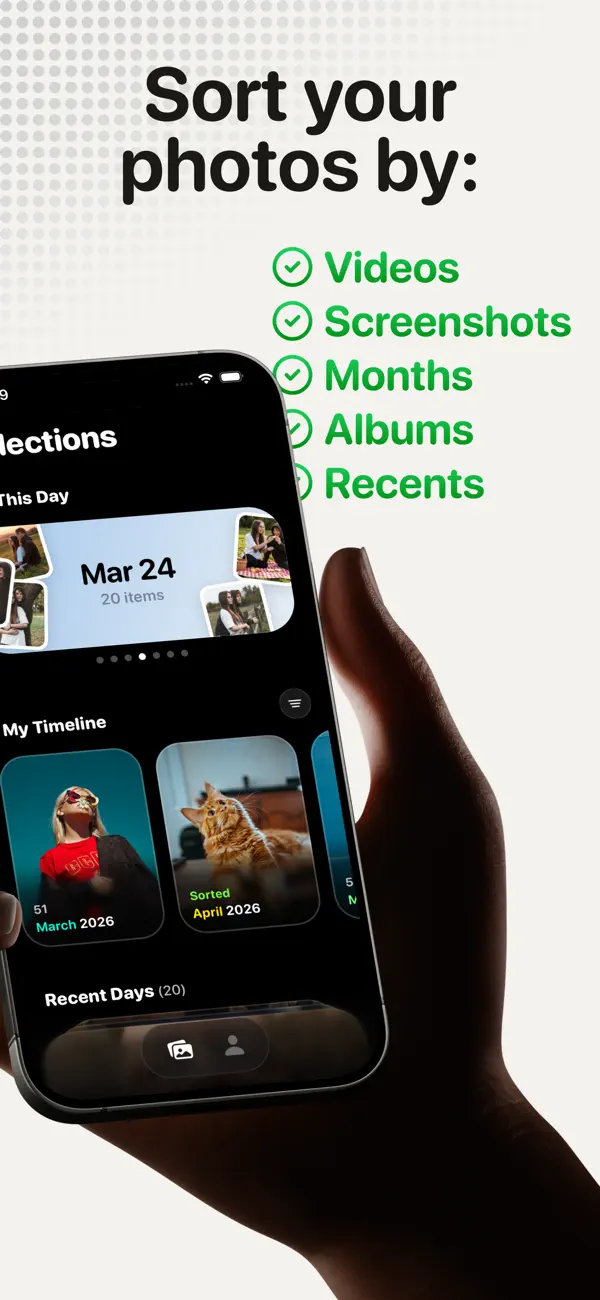
Look for a workflow that separates screenshots, videos, recent items, albums, and chronological groups. Those entry points support different cleanup goals. Final control, a review-before-delete stage, and visible progress matter more than vague cleanup promises.
A practical process
How to camera roll cleaner
- 1
Match the filter to the goal
Use screenshots for quick clutter, videos when storage is urgent, Recents for maintenance, albums for a specific subject, and months for an older backlog.
- 2
Keep judgment with the person
Review each item and decide whether it is useful, meaningful, or replaceable. A good cleaner should make that decision easier to express, not pretend every photo has an objective answer.
- 3
Require a clear final checkpoint
Before removal, inspect the full set of deletion choices. A useful cleaner should also make completed progress and storage impact understandable after the session.
Keep the session useful
A quick cleanup checklist
- Multiple filters for different cleanup intents
- Manual keep-or-delete control
- A review stage before final deletion
- Clear progress between sessions
- No required account before beginning
Where KeepYeet fits
KeepYeet covers the practical camera roll cleaner basics
KeepYeet provides focused views for months, screenshots, videos, albums, and Recents. In swipe sessions, right keeps an item and left marks it for deletion, making the workflow quick without surrendering personal judgment.
The review screen creates the final checkpoint, and completed sessions show cleanup progress and storage reclaimed. The photo workflow remains on-device, and you can begin without creating an account.
Questions people ask
camera roll cleaner FAQ
What does a camera roll cleaner do?
It helps you navigate a large photo library, review media in focused groups, and remove the items you no longer want through a clearer workflow.
Should a camera roll cleaner delete photos automatically?
No. KeepYeet keeps final deletion under your control and includes a review step so context stays with you.
Can a camera roll cleaner help with videos too?
Yes. KeepYeet includes a video filter, letting you review that storage-heavy category separately from still photos.
Verified references
Platform and product sources
- KeepYeet on the Apple App Store — The public listing is the source for KeepYeet's current product behavior, compatibility, and privacy disclosures.
- Apple Support: Manage photo and video storage — Apple explains how photos and videos use device storage and the available storage-management options.
- Google Photos Help: Manage storage — Google explains photo and video storage, cleanup categories, and storage estimates.