
Review-first cleanup
Review Photos Before Deleting Them From Your Library
By Omer Yom Tov, creator of KeepYeet · Updated July 15, 2026
Photo cleanup becomes risky when selection and deletion happen as one rushed action. A review-first process separates those moments. You can make quick decisions while moving through a focused batch, then switch into a slower verification mode once all proposed deletions are visible together.
This second pass catches accidental gestures, reveals when a sequence needs more context, and gives uncertain items another chance. It is especially valuable for older months, event albums, videos, and screenshots that contain records you may still need.
A practical process
How to review photos before deleting
- 1
Make provisional decisions
Work through one category and mark items you believe can be removed. Treat those choices as a draft rather than a finished deletion.
- 2
Change the review question
On the second pass, ask whether losing each item would matter. Check faces, documents, event context, and nearby media before keeping it on the deletion list.
- 3
Confirm only confident removals
Return uncertain items to the library and delete only the selections that remain clear. Afterward, understand the recovery period supported by your device's photo library.
Keep the session useful
A quick cleanup checklist
- Accidental swipes or taps made during the first pass
- Photos containing people or moments not visible at thumbnail size
- Screenshots with receipts, addresses, or active information
- Videos that need playback before a final decision
- Items that should remain when the answer is uncertain
Where KeepYeet fits
KeepYeet separates swiping from final deletion
KeepYeet lets you move quickly through a focused month, screenshot, video, album, or Recents session. Swipe right to keep and left to mark for deletion, knowing the left-swipe choices still have a review stage ahead of them.
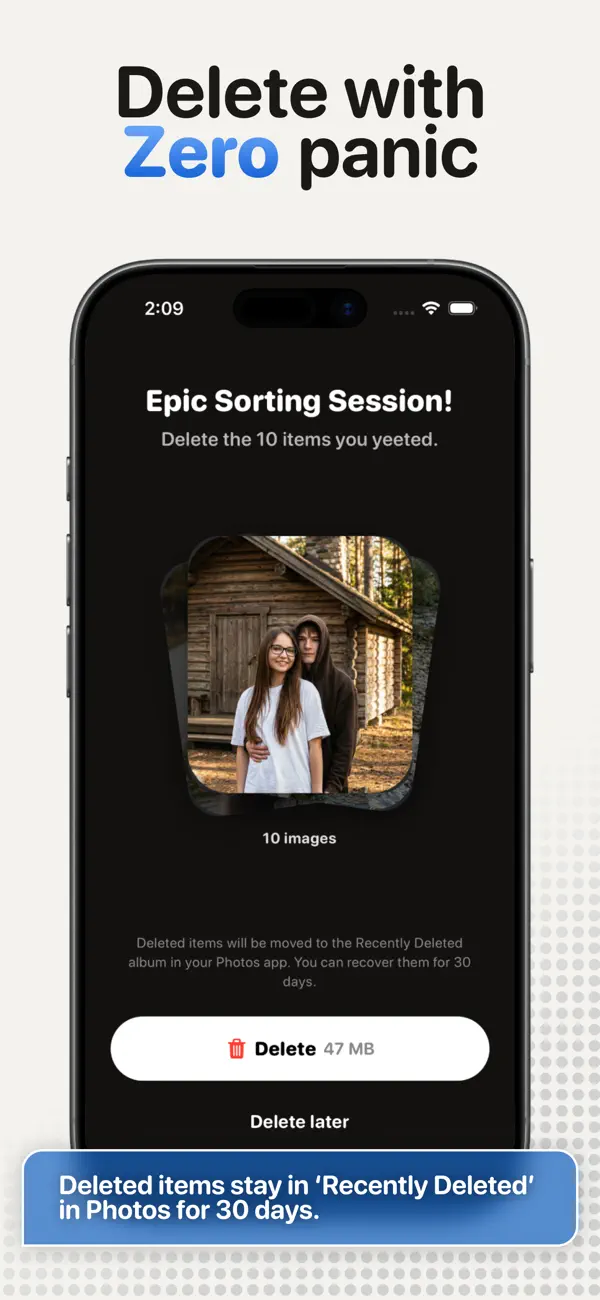
At the end, inspect the complete set before confirming removal. Recovery depends on the active photo library and backup state, but the in-app review is the best point to catch a mistake early.
Questions people ask
review photos before deleting FAQ
Why should I review photos before deleting them?
A second pass catches accidental choices and lets you judge proposed deletions together, with more attention than the initial cleanup flow.
Does KeepYeet delete a photo as soon as I swipe left?
No. The left swipe marks the item for deletion, and the review step comes before final removal.
Can I recover a photo after confirming deletion?
Recovery depends on the device's photo library and backup state. Apple Photos documents 30 days in Recently Deleted; Google Photos documents 60 days for backed-up items and 30 days for unbacked items.
Verified references
Platform and product sources
- KeepYeet on the Apple App Store — The public listing is the source for KeepYeet's current product behavior, compatibility, and privacy disclosures.
- Apple Support: Delete photos on iPhone or iPad — Apple explains deletion, Recently Deleted, recovery, and the 30-day retention period.
- Google Photos Help: Delete photos and videos — Google explains Trash behavior and how retention differs by backup state.